
Create a podcast
Go to Podcasts → Add podcast in Drupal, or open /admin/content/podcast/add. Your role needs Create podcast permission. A site administrator can assign permissions.
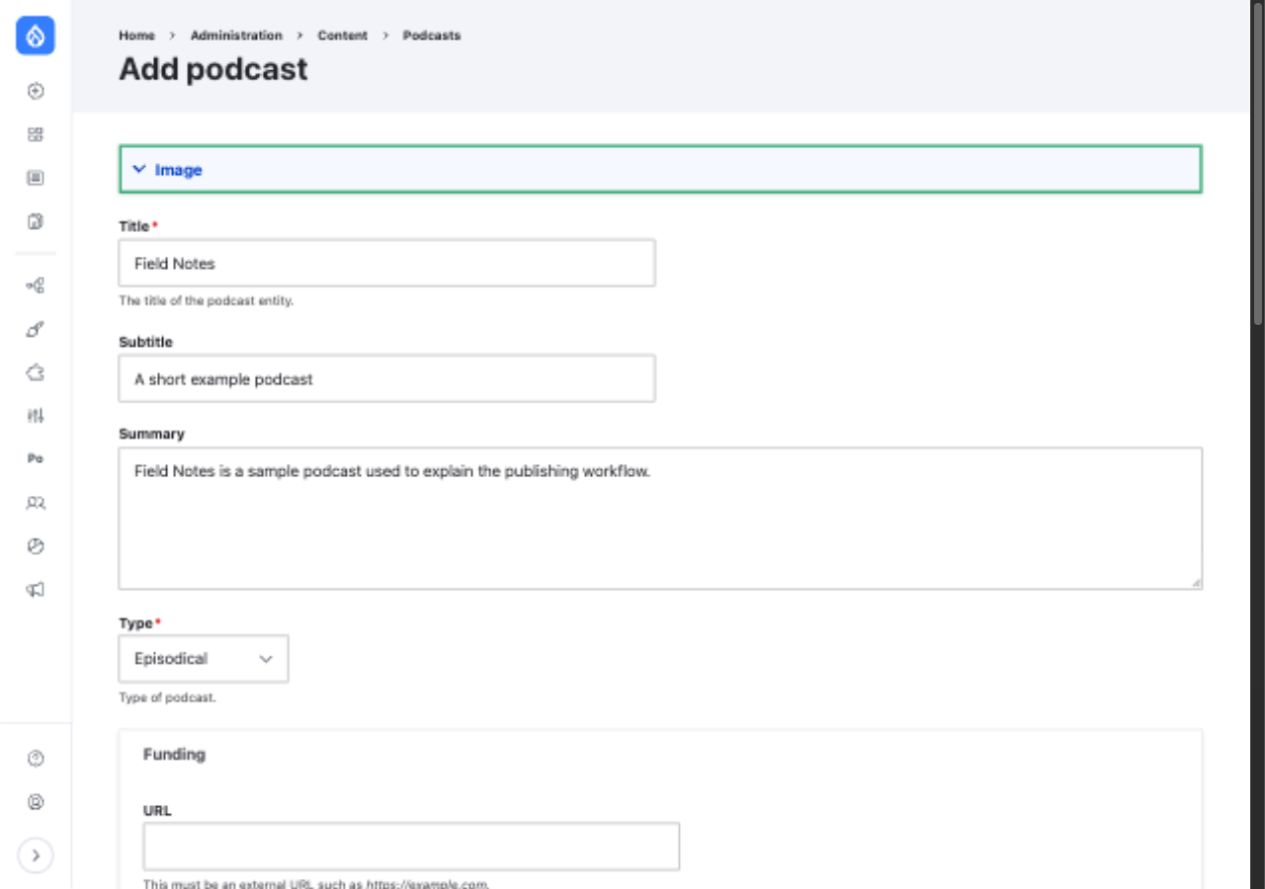
The required fields are Title and Type. The screenshot uses sample content from a local Drupal 11 site.
Enter the essentials
| Field | What to enter |
|---|---|
| Title | The podcast name. Required and used as the feed's channel title. |
| Type | Episodic or Serial. Required. |
| Summary | A short description of the show for the feed. |
| Subtitle | A brief supporting line for podcast apps. |
| Image | Show artwork. Enter useful alternative text when uploading it. |
The other form fields let you add a general Category, up to three predefined iTunes Category terms, a Funding link, Copyright, an owner Email, feed Author references, and the Explicit and Complete flags. Authoring information for the feed is separate from Drupal's internal author field.
Leave Published checked when the podcast is ready to appear in its feed. You can save it unpublished while preparing the show.
Click Save. Drupal opens the podcast page. The podcast list at /admin/content/podcast shows its numeric ID and an Episodes link.
Next
Add an episode. The podcast feed is available at /podcast/{podcast_id}/feed.xml; it will contain episode items once both the podcast and its episodes are published.